LLM Context Window: Why Context Failures Break AI Systems in Production (And How to Test Them)
2026-04-03
Introduction
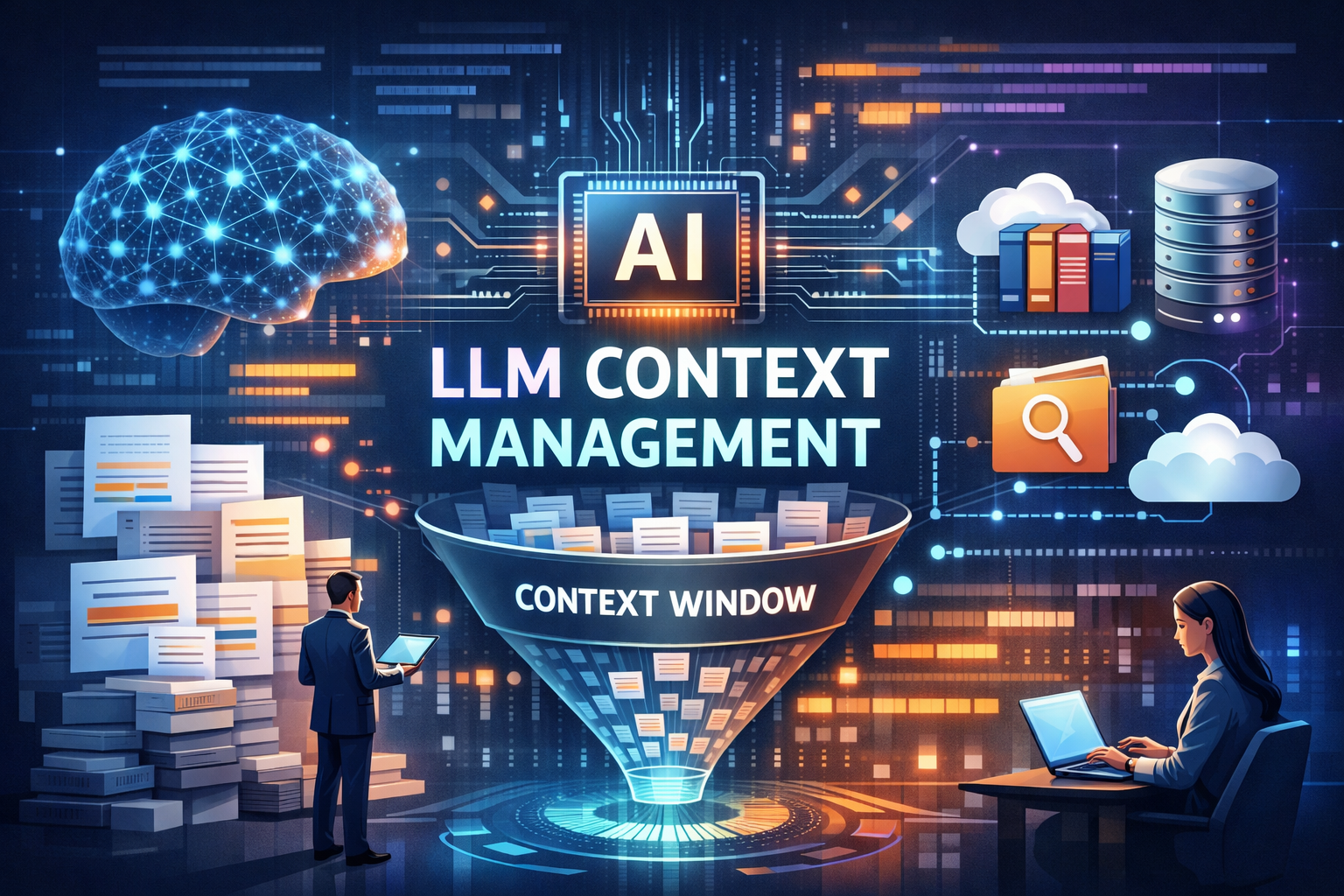
The LLM context window is one of the most critical constraints shaping how modern AI systems behave in production.
While large language models appear powerful, their ability to reason, respond, and stay aligned depends entirely on what they can “see” within a limited context. When that context is poorly managed, systems begin to fail—silently.
These failures show up as:
- Hallucinations
- Missed instructions
- Inconsistent outputs
- Compliance risks
This is not just a technical limitation—it’s a business risk.
Effective LLM context management is no longer optional. And more importantly, it must be tested rigorously before deployment.
What is an LLM Context Window?
The LLM context window refers to the maximum number of tokens (text units) a model can process in a single interaction.
This includes:
- User inputs
- System prompts
- Retrieved knowledge (RAG pipelines)
- Conversation history
Every request to an LLM is constrained by this window. Once the LLM context window limit is exceeded, the model either truncates older data or ignores parts of the input.
LLM Context Window vs Memory
A common misconception is that LLMs “remember” everything.
In reality:
- The LLM context window is temporary
- It resets with every interaction
- It is not persistent storage
This distinction between LLM context vs memory is crucial. Context is short-term and fragile, while real-world systems require long-term, structured memory.
Why LLM Context Failures Break Systems in Production
1. Hallucinations from Missing Context
When relevant information is excluded due to context limits:
- The model fills gaps with assumptions
- Outputs become inaccurate or fabricated
This is a leading cause of LLM hallucination issues in production systems.
2. Ignored Instructions (“Lost in the Middle”)
LLMs often fail to prioritize information buried in long prompts.
Impact:
- Critical instructions are ignored
- Outputs become inconsistent
- Reasoning chains break
3. Context Overflow and Truncation
As systems scale:
- More tools
- More data
- Longer interactions
👉 The AI context window gets overloaded
Result:
- Important data is dropped
- System behavior becomes unpredictable
4. Noisy and Irrelevant Context
Poor LLM context management often includes:
- Redundant data
- Irrelevant retrievals
- Excess tokens
This reduces signal quality and leads to weaker outputs.
5. Compliance and Policy Failures
If policy instructions are:
- Truncated
- Ignored
- Overwritten
👉 The model may generate unsafe or non-compliant responses
This is especially critical in:
- Finance
- Healthcare
- Enterprise AI systems
Hidden Risks of Poor LLM Context Management
Silent Failures
Unlike system crashes, context failures are subtle:
- Outputs look confident
- Errors are hard to detect
- Issues go unnoticed
Business Impact
Poor handling of the LLM context window leads to:
- Incorrect decisions
- Loss of user trust
- Regulatory exposure
Cost Inefficiency
Larger prompts increase token usage:
- Higher API costs
- Slower responses
- Reduced scalability
Without optimization, LLM context management becomes expensive at scale.
How to Test LLM Context Failures
Testing is the most overlooked—and most critical—part of managing context.
Effective LLM testing tools focus on validating how systems behave under different context conditions.
1. Context Relevance Testing
Evaluate:
- Whether retrieved data is useful
- If context aligns with the query
Poor retrieval directly impacts output quality.
2. Prompt and Context Evaluation
Test whether:
- Instructions are followed
- Key data is utilized
- Outputs align with expectations
3. Failure Simulation
Simulate real-world scenarios:
- Missing context
- Noisy inputs
- Long context chains
This helps identify where systems break under pressure.
4. Hallucination Detection
Measure when:
- The model invents information
- Context is insufficient
This is essential for reliable AI systems.
5. Compliance Validation
Ensure:
- Policy instructions are respected
- Outputs remain safe and auditable
Best Practices for LLM Context Management
1. Retrieval Over Context Dumping
Avoid sending all available data.
Instead, retrieve only what is relevant.
2. Semantic Chunking
Split data based on meaning, not just size.
This improves retrieval accuracy and context quality.
3. Context Prioritization
Always prioritize:
- System instructions
- Recent interactions
- High-relevance data
4. Summarization Layers
Compress older interactions into:
- Key insights
- Structured summaries
This helps stay within the LLM context window limit.
5. External Memory Systems
Use:
- Vector databases
- Structured storage
Treat the LLM context window as working memory, not storage.
6. Continuous Testing
Without testing:
- Failures remain hidden
- Risks increase over time
Testing ensures reliability as systems evolve.
Real-World Scenario
Without Proper Testing
- Large context sent to model
- Important instruction truncated
- Model generates incorrect output
- Business decision impacted
With LLM Testing and Context Optimization
- Context filtered and prioritized
- Retrieval validated
- Failures detected early
Result:
- Higher accuracy
- Lower risk
- Better performance
Key Takeaways
- The LLM context window is a fundamental limitation of AI systems
- Poor LLM context management leads to:
- hallucinations
- missed instructions
- compliance risks
- Context failures are silent but highly impactful
- Testing is essential to ensure reliability and safety
Conclusion
As AI systems move into production, the challenge is no longer just building models—it’s ensuring they behave reliably under real-world constraints.
The LLM context window defines what your system can see.
But what it fails to see can create significant risk.
Without proper LLM context management and testing:
- Errors go unnoticed
- Costs increase
- Trust erodes
Frequently Asked Questions (FAQs)
What is an LLM context window?
The LLM context window is the maximum amount of text (tokens) a language model can process in a single request. It includes user input, system prompts, retrieved data, and conversation history. Once the limit is exceeded, older or less relevant information is truncated.
Why is the LLM context window important?
The LLM context window directly affects how well a model understands and responds to input. If important information is missing or ignored due to context limits, it can lead to hallucinations, incorrect outputs, and unreliable AI behavior.
What is the difference between LLM context and memory?
The key difference between LLM context vs memory is persistence:
- Context is temporary and resets with each request
- Memory is long-term and stored externally (e.g., databases)
LLMs rely on context for short-term reasoning but need external systems for memory.
What are common problems with LLM context windows?
Common issues with LLM context window limits include:
- Hallucinations due to missing context
- Ignored instructions in long prompts
- Context overflow and truncation
- Noisy or irrelevant data in prompts
These problems often lead to silent failures in production.
How do you manage LLM context effectively?
Effective LLM context management includes:
- Using retrieval instead of sending all data
- Prioritizing important instructions and recent inputs
- Applying semantic chunking
- Summarizing older context
- Using external memory systems
How does LLM context affect hallucinations?
When the LLM context window does not include enough relevant information, the model may generate incorrect or fabricated responses. This is one of the main causes of hallucinations in AI systems.
How can you test LLM context failures?
You can test LLM context window failures using:
- Context relevance testing
- Prompt and instruction validation
- Failure simulation (missing or noisy context)
- Hallucination detection
- Retrieval quality evaluation
These are typically supported by advanced LLM testing tools.
What are LLM testing tools?
LLM testing tools are platforms that help evaluate, validate, and monitor AI systems. They test for issues like hallucinations, context failures, bias, and compliance risks before and after deployment.
What happens when the context window limit is exceeded?
When the LLM context window limit is exceeded:
- Older tokens are removed (truncated)
- Important instructions may be lost
- Model performance can degrade
This often leads to incomplete or incorrect outputs.
Why is LLM context management critical for enterprises?
For enterprises, poor LLM context management can result in:
- Compliance violations
- Incorrect business decisions
- Security risks
- Loss of customer trust
Proper testing and validation are essential to ensure safe and reliable AI systems.
Can increasing the context window solve all problems?
No. Increasing the AI context window can help, but it does not eliminate:
- Retrieval errors
- Noise in context
- Instruction prioritization issues
Effective LLM context management and testing are still required.
How does context management impact AI costs?
Larger context windows increase token usage, which raises costs. Efficient LLM context management reduces unnecessary tokens, improves performance, and lowers operational expenses.
Stop guessing.
Start measuring.
Join teams building reliable AI with TruEval. Start with a free trial, no credit card required. Get your first evaluation running in under 10 minutes.
Questions about Trusys?
Our team is here to help. Schedule a personalized demo to see how Trusys fits your specific use case.
Book a Demo

Ready to dive in?
Check out our documentation and tutorials. Get started with example datasets and evaluation templates.
Start Free Trial
Free Trial
No credit card required
10 Min
To first evaluation
24/7
Enterprise support


Benefits
Specifications
How-to
Contact Us
Learn More

LLM Context Window: Why Context Failures Break AI Systems in Production (And How to Test Them)
2026-04-03
Introduction
The LLM context window is one of the most critical constraints shaping how modern AI systems behave in production.
While large language models appear powerful, their ability to reason, respond, and stay aligned depends entirely on what they can “see” within a limited context. When that context is poorly managed, systems begin to fail—silently.
These failures show up as:
- Hallucinations
- Missed instructions
- Inconsistent outputs
- Compliance risks
This is not just a technical limitation—it’s a business risk.
Effective LLM context management is no longer optional. And more importantly, it must be tested rigorously before deployment.
What is an LLM Context Window?
The LLM context window refers to the maximum number of tokens (text units) a model can process in a single interaction.
This includes:
- User inputs
- System prompts
- Retrieved knowledge (RAG pipelines)
- Conversation history
Every request to an LLM is constrained by this window. Once the LLM context window limit is exceeded, the model either truncates older data or ignores parts of the input.
LLM Context Window vs Memory
A common misconception is that LLMs “remember” everything.
In reality:
- The LLM context window is temporary
- It resets with every interaction
- It is not persistent storage
This distinction between LLM context vs memory is crucial. Context is short-term and fragile, while real-world systems require long-term, structured memory.
Why LLM Context Failures Break Systems in Production
1. Hallucinations from Missing Context
When relevant information is excluded due to context limits:
- The model fills gaps with assumptions
- Outputs become inaccurate or fabricated
This is a leading cause of LLM hallucination issues in production systems.
2. Ignored Instructions (“Lost in the Middle”)
LLMs often fail to prioritize information buried in long prompts.
Impact:
- Critical instructions are ignored
- Outputs become inconsistent
- Reasoning chains break
3. Context Overflow and Truncation
As systems scale:
- More tools
- More data
- Longer interactions
👉 The AI context window gets overloaded
Result:
- Important data is dropped
- System behavior becomes unpredictable
4. Noisy and Irrelevant Context
Poor LLM context management often includes:
- Redundant data
- Irrelevant retrievals
- Excess tokens
This reduces signal quality and leads to weaker outputs.
5. Compliance and Policy Failures
If policy instructions are:
- Truncated
- Ignored
- Overwritten
👉 The model may generate unsafe or non-compliant responses
This is especially critical in:
- Finance
- Healthcare
- Enterprise AI systems
Hidden Risks of Poor LLM Context Management
Silent Failures
Unlike system crashes, context failures are subtle:
- Outputs look confident
- Errors are hard to detect
- Issues go unnoticed
Business Impact
Poor handling of the LLM context window leads to:
- Incorrect decisions
- Loss of user trust
- Regulatory exposure
Cost Inefficiency
Larger prompts increase token usage:
- Higher API costs
- Slower responses
- Reduced scalability
Without optimization, LLM context management becomes expensive at scale.
How to Test LLM Context Failures
Testing is the most overlooked—and most critical—part of managing context.
Effective LLM testing tools focus on validating how systems behave under different context conditions.
1. Context Relevance Testing
Evaluate:
- Whether retrieved data is useful
- If context aligns with the query
Poor retrieval directly impacts output quality.
2. Prompt and Context Evaluation
Test whether:
- Instructions are followed
- Key data is utilized
- Outputs align with expectations
3. Failure Simulation
Simulate real-world scenarios:
- Missing context
- Noisy inputs
- Long context chains
This helps identify where systems break under pressure.
4. Hallucination Detection
Measure when:
- The model invents information
- Context is insufficient
This is essential for reliable AI systems.
5. Compliance Validation
Ensure:
- Policy instructions are respected
- Outputs remain safe and auditable
Best Practices for LLM Context Management
1. Retrieval Over Context Dumping
Avoid sending all available data.
Instead, retrieve only what is relevant.
2. Semantic Chunking
Split data based on meaning, not just size.
This improves retrieval accuracy and context quality.
3. Context Prioritization
Always prioritize:
- System instructions
- Recent interactions
- High-relevance data
4. Summarization Layers
Compress older interactions into:
- Key insights
- Structured summaries
This helps stay within the LLM context window limit.
5. External Memory Systems
Use:
- Vector databases
- Structured storage
Treat the LLM context window as working memory, not storage.
6. Continuous Testing
Without testing:
- Failures remain hidden
- Risks increase over time
Testing ensures reliability as systems evolve.
Real-World Scenario
Without Proper Testing
- Large context sent to model
- Important instruction truncated
- Model generates incorrect output
- Business decision impacted
With LLM Testing and Context Optimization
- Context filtered and prioritized
- Retrieval validated
- Failures detected early
Result:
- Higher accuracy
- Lower risk
- Better performance
Key Takeaways
- The LLM context window is a fundamental limitation of AI systems
- Poor LLM context management leads to:
- hallucinations
- missed instructions
- compliance risks
- Context failures are silent but highly impactful
- Testing is essential to ensure reliability and safety
Conclusion
As AI systems move into production, the challenge is no longer just building models—it’s ensuring they behave reliably under real-world constraints.
The LLM context window defines what your system can see.
But what it fails to see can create significant risk.
Without proper LLM context management and testing:
- Errors go unnoticed
- Costs increase
- Trust erodes
Frequently Asked Questions (FAQs)
What is an LLM context window?
The LLM context window is the maximum amount of text (tokens) a language model can process in a single request. It includes user input, system prompts, retrieved data, and conversation history. Once the limit is exceeded, older or less relevant information is truncated.
Why is the LLM context window important?
The LLM context window directly affects how well a model understands and responds to input. If important information is missing or ignored due to context limits, it can lead to hallucinations, incorrect outputs, and unreliable AI behavior.
What is the difference between LLM context and memory?
The key difference between LLM context vs memory is persistence:
- Context is temporary and resets with each request
- Memory is long-term and stored externally (e.g., databases)
LLMs rely on context for short-term reasoning but need external systems for memory.
What are common problems with LLM context windows?
Common issues with LLM context window limits include:
- Hallucinations due to missing context
- Ignored instructions in long prompts
- Context overflow and truncation
- Noisy or irrelevant data in prompts
These problems often lead to silent failures in production.
How do you manage LLM context effectively?
Effective LLM context management includes:
- Using retrieval instead of sending all data
- Prioritizing important instructions and recent inputs
- Applying semantic chunking
- Summarizing older context
- Using external memory systems
How does LLM context affect hallucinations?
When the LLM context window does not include enough relevant information, the model may generate incorrect or fabricated responses. This is one of the main causes of hallucinations in AI systems.
How can you test LLM context failures?
You can test LLM context window failures using:
- Context relevance testing
- Prompt and instruction validation
- Failure simulation (missing or noisy context)
- Hallucination detection
- Retrieval quality evaluation
These are typically supported by advanced LLM testing tools.
What are LLM testing tools?
LLM testing tools are platforms that help evaluate, validate, and monitor AI systems. They test for issues like hallucinations, context failures, bias, and compliance risks before and after deployment.
What happens when the context window limit is exceeded?
When the LLM context window limit is exceeded:
- Older tokens are removed (truncated)
- Important instructions may be lost
- Model performance can degrade
This often leads to incomplete or incorrect outputs.
Why is LLM context management critical for enterprises?
For enterprises, poor LLM context management can result in:
- Compliance violations
- Incorrect business decisions
- Security risks
- Loss of customer trust
Proper testing and validation are essential to ensure safe and reliable AI systems.
Can increasing the context window solve all problems?
No. Increasing the AI context window can help, but it does not eliminate:
- Retrieval errors
- Noise in context
- Instruction prioritization issues
Effective LLM context management and testing are still required.
How does context management impact AI costs?
Larger context windows increase token usage, which raises costs. Efficient LLM context management reduces unnecessary tokens, improves performance, and lowers operational expenses.
Stop guessing.
Start measuring.
Join teams building reliable AI with TruEval. Start with a free trial, no credit card required. Get your first evaluation running in under 10 minutes.
Questions about Trusys?
Our team is here to help. Schedule a personalized demo to see how Trusys fits your specific use case.
Book a Demo
Ready to dive in?
Check out our documentation and tutorials. Get started with example datasets and evaluation templates.
Start Free Trial
Free Trial
No credit card required
10 Min
To first evaluation
24/7
Enterprise support
LLM Context Window: Why Context Failures Break AI Systems in Production (And How to Test Them)
2026-04-03
Introduction
The LLM context window is one of the most critical constraints shaping how modern AI systems behave in production.
While large language models appear powerful, their ability to reason, respond, and stay aligned depends entirely on what they can “see” within a limited context. When that context is poorly managed, systems begin to fail—silently.
These failures show up as:
- Hallucinations
- Missed instructions
- Inconsistent outputs
- Compliance risks
This is not just a technical limitation—it’s a business risk.
Effective LLM context management is no longer optional. And more importantly, it must be tested rigorously before deployment.
What is an LLM Context Window?
The LLM context window refers to the maximum number of tokens (text units) a model can process in a single interaction.
This includes:
- User inputs
- System prompts
- Retrieved knowledge (RAG pipelines)
- Conversation history
Every request to an LLM is constrained by this window. Once the LLM context window limit is exceeded, the model either truncates older data or ignores parts of the input.
LLM Context Window vs Memory
A common misconception is that LLMs “remember” everything.
In reality:
- The LLM context window is temporary
- It resets with every interaction
- It is not persistent storage
This distinction between LLM context vs memory is crucial. Context is short-term and fragile, while real-world systems require long-term, structured memory.
Why LLM Context Failures Break Systems in Production
1. Hallucinations from Missing Context
When relevant information is excluded due to context limits:
- The model fills gaps with assumptions
- Outputs become inaccurate or fabricated
This is a leading cause of LLM hallucination issues in production systems.
2. Ignored Instructions (“Lost in the Middle”)
LLMs often fail to prioritize information buried in long prompts.
Impact:
- Critical instructions are ignored
- Outputs become inconsistent
- Reasoning chains break
3. Context Overflow and Truncation
As systems scale:
- More tools
- More data
- Longer interactions
👉 The AI context window gets overloaded
Result:
- Important data is dropped
- System behavior becomes unpredictable
4. Noisy and Irrelevant Context
Poor LLM context management often includes:
- Redundant data
- Irrelevant retrievals
- Excess tokens
This reduces signal quality and leads to weaker outputs.
5. Compliance and Policy Failures
If policy instructions are:
- Truncated
- Ignored
- Overwritten
👉 The model may generate unsafe or non-compliant responses
This is especially critical in:
- Finance
- Healthcare
- Enterprise AI systems
Hidden Risks of Poor LLM Context Management
Silent Failures
Unlike system crashes, context failures are subtle:
- Outputs look confident
- Errors are hard to detect
- Issues go unnoticed
Business Impact
Poor handling of the LLM context window leads to:
- Incorrect decisions
- Loss of user trust
- Regulatory exposure
Cost Inefficiency
Larger prompts increase token usage:
- Higher API costs
- Slower responses
- Reduced scalability
Without optimization, LLM context management becomes expensive at scale.
How to Test LLM Context Failures
Testing is the most overlooked—and most critical—part of managing context.
Effective LLM testing tools focus on validating how systems behave under different context conditions.
1. Context Relevance Testing
Evaluate:
- Whether retrieved data is useful
- If context aligns with the query
Poor retrieval directly impacts output quality.
2. Prompt and Context Evaluation
Test whether:
- Instructions are followed
- Key data is utilized
- Outputs align with expectations
3. Failure Simulation
Simulate real-world scenarios:
- Missing context
- Noisy inputs
- Long context chains
This helps identify where systems break under pressure.
4. Hallucination Detection
Measure when:
- The model invents information
- Context is insufficient
This is essential for reliable AI systems.
5. Compliance Validation
Ensure:
- Policy instructions are respected
- Outputs remain safe and auditable
Best Practices for LLM Context Management
1. Retrieval Over Context Dumping
Avoid sending all available data.
Instead, retrieve only what is relevant.
2. Semantic Chunking
Split data based on meaning, not just size.
This improves retrieval accuracy and context quality.
3. Context Prioritization
Always prioritize:
- System instructions
- Recent interactions
- High-relevance data
4. Summarization Layers
Compress older interactions into:
- Key insights
- Structured summaries
This helps stay within the LLM context window limit.
5. External Memory Systems
Use:
- Vector databases
- Structured storage
Treat the LLM context window as working memory, not storage.
6. Continuous Testing
Without testing:
- Failures remain hidden
- Risks increase over time
Testing ensures reliability as systems evolve.
Real-World Scenario
Without Proper Testing
- Large context sent to model
- Important instruction truncated
- Model generates incorrect output
- Business decision impacted
With LLM Testing and Context Optimization
- Context filtered and prioritized
- Retrieval validated
- Failures detected early
Result:
- Higher accuracy
- Lower risk
- Better performance
Key Takeaways
- The LLM context window is a fundamental limitation of AI systems
- Poor LLM context management leads to:
- hallucinations
- missed instructions
- compliance risks
- Context failures are silent but highly impactful
- Testing is essential to ensure reliability and safety
Conclusion
As AI systems move into production, the challenge is no longer just building models—it’s ensuring they behave reliably under real-world constraints.
The LLM context window defines what your system can see.
But what it fails to see can create significant risk.
Without proper LLM context management and testing:
- Errors go unnoticed
- Costs increase
- Trust erodes
Frequently Asked Questions (FAQs)
What is an LLM context window?
The LLM context window is the maximum amount of text (tokens) a language model can process in a single request. It includes user input, system prompts, retrieved data, and conversation history. Once the limit is exceeded, older or less relevant information is truncated.
Why is the LLM context window important?
The LLM context window directly affects how well a model understands and responds to input. If important information is missing or ignored due to context limits, it can lead to hallucinations, incorrect outputs, and unreliable AI behavior.
What is the difference between LLM context and memory?
The key difference between LLM context vs memory is persistence:
- Context is temporary and resets with each request
- Memory is long-term and stored externally (e.g., databases)
LLMs rely on context for short-term reasoning but need external systems for memory.
What are common problems with LLM context windows?
Common issues with LLM context window limits include:
- Hallucinations due to missing context
- Ignored instructions in long prompts
- Context overflow and truncation
- Noisy or irrelevant data in prompts
These problems often lead to silent failures in production.
How do you manage LLM context effectively?
Effective LLM context management includes:
- Using retrieval instead of sending all data
- Prioritizing important instructions and recent inputs
- Applying semantic chunking
- Summarizing older context
- Using external memory systems
How does LLM context affect hallucinations?
When the LLM context window does not include enough relevant information, the model may generate incorrect or fabricated responses. This is one of the main causes of hallucinations in AI systems.
How can you test LLM context failures?
You can test LLM context window failures using:
- Context relevance testing
- Prompt and instruction validation
- Failure simulation (missing or noisy context)
- Hallucination detection
- Retrieval quality evaluation
These are typically supported by advanced LLM testing tools.
What are LLM testing tools?
LLM testing tools are platforms that help evaluate, validate, and monitor AI systems. They test for issues like hallucinations, context failures, bias, and compliance risks before and after deployment.
What happens when the context window limit is exceeded?
When the LLM context window limit is exceeded:
- Older tokens are removed (truncated)
- Important instructions may be lost
- Model performance can degrade
This often leads to incomplete or incorrect outputs.
Why is LLM context management critical for enterprises?
For enterprises, poor LLM context management can result in:
- Compliance violations
- Incorrect business decisions
- Security risks
- Loss of customer trust
Proper testing and validation are essential to ensure safe and reliable AI systems.
Can increasing the context window solve all problems?
No. Increasing the AI context window can help, but it does not eliminate:
- Retrieval errors
- Noise in context
- Instruction prioritization issues
Effective LLM context management and testing are still required.
How does context management impact AI costs?
Larger context windows increase token usage, which raises costs. Efficient LLM context management reduces unnecessary tokens, improves performance, and lowers operational expenses.
Stop guessing.
Start measuring.
Join teams building reliable AI with Trusys. Start with a free trial, no credit card required. Get your first evaluation running in under 10 minutes.
Questions about Trusys?
Our team is here to help. Schedule a personalized demo to see how Trusys fits your specific use case.
Book a Demo

Ready to dive in?
Check out our documentation and tutorials. Get started with example datasets and evaluation templates.
Start Free Trial
Free Trial
No credit card required
10 Min
to get started
24/7
Enterprise support