
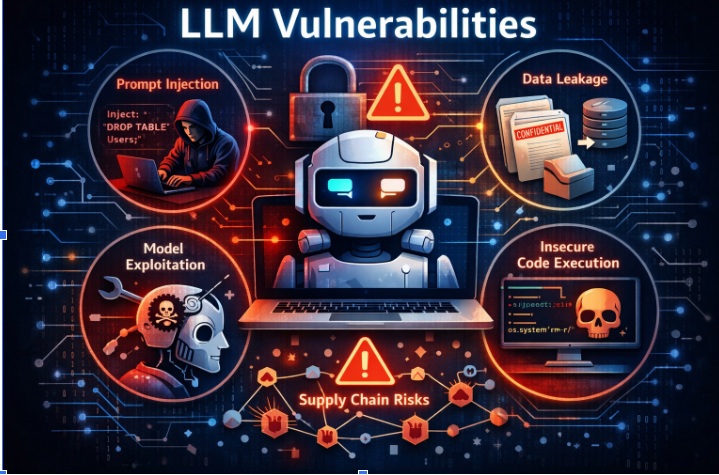
LLM features are landing everywhere—chat assistants, copilots, “agentic” workflows that can read/write files, call internal APIs, trigger payments, and automate ops. The security catch is that these apps introduce new failure modes (prompt injection, excessive agency, insecure output handling, model DoS, supply-chain risks) that don’t always look like classic AppSec bugs, but still lead to classic outcomes: data leakage, unauthorized actions, and code/command execution.
OWASP’s Top 10 for LLM Applications consistently puts Prompt Injection at the top and enumerates the broader categories teams need to engineer for. The UK’s NCSC has also warned that prompt injection is structurally different from SQL injection—there may not be a “one-shot mitigation,” which makes defense-in-depth + detection + containment essential.
That’s why we’re open-sourcing Truscan: a practical scanner you can wire into repos immediately—so teams start building secure AI systems the same way they build secure web apps: with continuous, automated feedback loops.
Truscan (Trusys LLM Security Scanner) is a Python-based code scanning tool built on the Semgrep Python SDK to detect AI/LLM-specific vulnerabilities. It’s designed to run in:
Traditional SAST finds a lot of important issues, but LLM apps have patterns that need specific detection logic:
Truscan’s goal is simple: make the secure path the default by scanning these AI-specific patterns continuously.
Truscan integrates Semgrep using Python APIs—this matters for embedding scanning inside IDEs and for tighter control over configs, outputs, and performance. (GitHub)
Truscan supports:
GitHub Code Scanning supports a subset of SARIF 2.1.0, which is why SARIF output is key for first-class “Security” tab integration. (GitHub Docs)
(And SARIF itself is an OASIS standard format for static analysis results.) (OASIS Open)
All scanning runs without network access—useful for regulated environments and predictable CI. (GitHub)
Truscan organizes rules as Semgrep rule packs and explicitly aligns coverage to OWASP LLM risk categories (LLM01–LLM10). (GitHub)
Incremental scanning, .gitignore respect, include/exclude patterns, severity filtering—built to run continuously without killing developer velocity. (GitHub)
The repo lists a structured mapping to categories like:
This is deliberately aligned with OWASP’s taxonomy so teams can:
Truscan starts with patterns that repeatedly show up in real incidents:
Out of the box, the rules account for common ways teams call LLMs, including:
Truscan isn’t “just a rules folder”—it’s a full scanning engine you can embed:
This structure is what enables the “day zero” promise: you can start with CLI/CI, and then graduate to richer IDE and backend experiences without changing scanners.
Static pattern matching is powerful, but any scanner can produce noise—especially as frameworks add safe defaults and sanitizers.
Truscan includes an optional AI-based false positive filter that:
This is disabled by default and designed to be used intentionally—especially for large codebases where triage cost is real.
pip install trusys-llm-scan
(GitHub)
trusys-llm-scan . --format console
(GitHub)
python -m llm_scan.runner src/ tests/ \
--rules llm_scan/rules/python \
--format sarif \
--out results.sarif \
--exclude 'tests/**'
(GitHub)
A strong LLM security posture isn’t just “block prompt injection.” Even government guidance is leaning toward the reality that prompt injection may remain a persistent category, pushing teams toward impact reduction through boundaries and controls. (ncsc.gov.uk)
Truscan helps enforce those boundaries continuously by flagging:
We want this to be a genuine developer-first open source contribution, and we’d love concrete suggestions and PRs. A few high-impact directions:
If you’re building LLM apps and want Truscan to catch something specific you’ve seen in the wild (or in your own code reviews), open an issue with: